

AI Intelligence
Speed up your workflows

.svg)



Tech stacks can get messy. We often adopt new tools to help us stay competitive, but before long, your team is stuck toggling between five different tabs just to verify one member's course credit. This is why LMS integrations matter—they’re the glue that stops your software from feeling like a puzzle with missing pieces.
If you’re setting up a new learning platform, getting your LMS integrations right is the difference between a system that creates more work and one that actually does the work for you. In this guide, we’ll look at the best options for this year and a simple 6-step plan to finally get your systems talking to each other:
Ultimately, your LMS should work for your team, not the other way around. Properly integrating your LMS with other essential systems ensures that the platform feels like a natural part of your day-to-day—not another hurdle to clear.

LMS integrations connect your LMS platform to other tools in your organization’s technology stack, such as your association management system (AMS) or video conferencing tools. These integrations allow data to transfer automatically between your systems, ultimately streamlining your team’s workflows, eliminating information silos, and driving more informed decision-making.
For example, a union providing workplace safety training and industry certifications to members might integrate its LMS with its membership software, compliance platform, and payment processing systems to create a more intuitive and streamlined learning environment.
Many modern LMS platforms come with out-of-the-box integrations with popular solutions that are quick and easy to implement. If a pre-built integration isn’t available for one of your essential tools, you’ll likely need to set up a custom integration, which is a more complicated and time-consuming process that requires specialized technical expertise.
LMS integrations typically rely on two primary methods to connect your systems and ensure data flows exactly where it’s needed:
Integrating your organization’s technology is the best way to create a unified ecosystem where your tools work in harmony. Let’s explore how LMS integrations enhance your learning program and what hurdles you should expect:
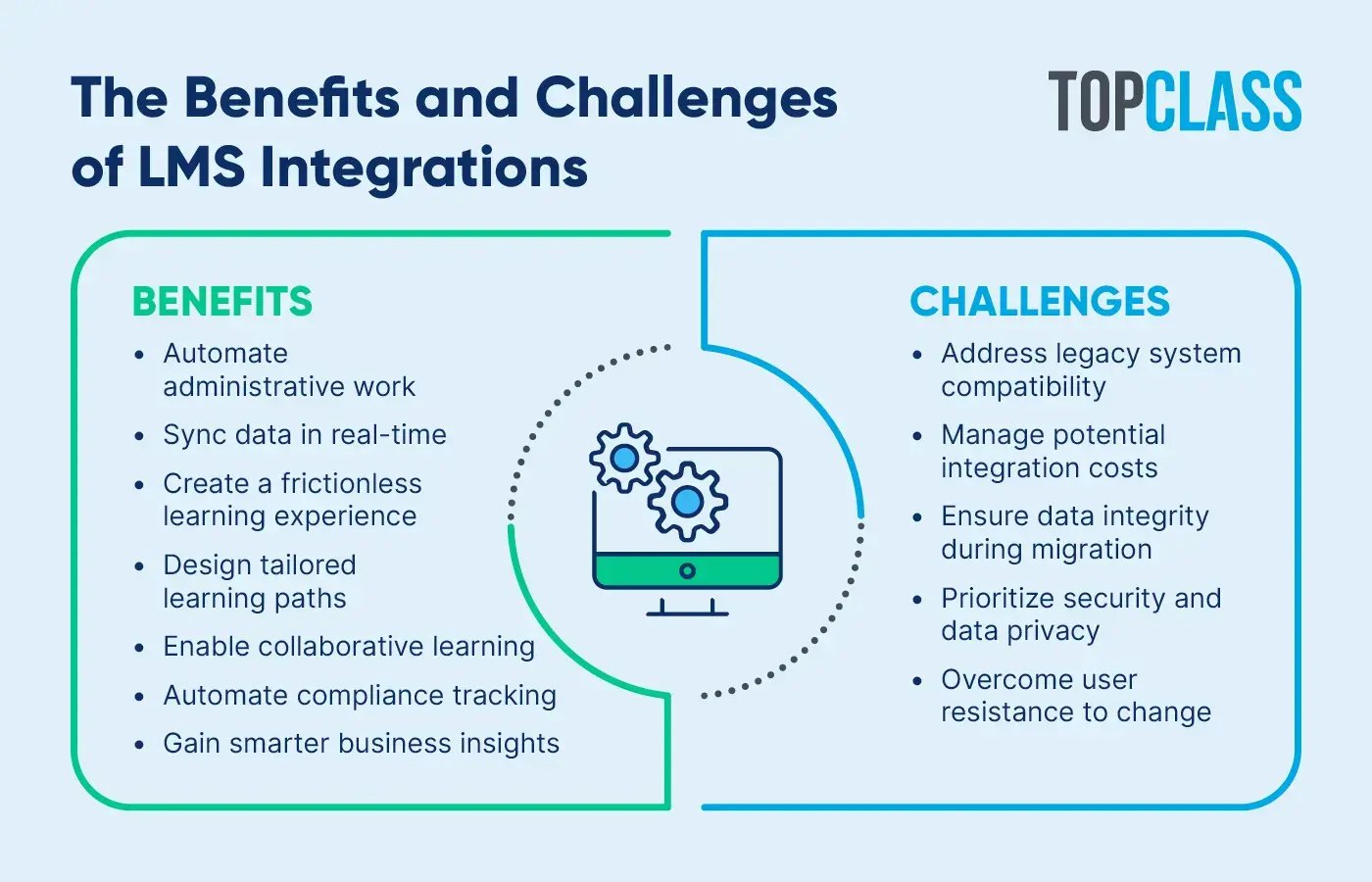
When you get your systems talking, you move past basic data syncing and start seeing real organizational shifts. Here’s a rundown of what LMS integrations do for organizations:
By connecting your LMS to your entire tech stack, you transform your learning program from a list of courses into a strategic asset for your organization. Ultimately, LMS integrations improve both the learning experiences you provide and the internal processes your team uses to deliver them.
While the rewards of a connected system are significant, the road to getting there often comes with a few technical hurdles. Preparing for these common obstacles with LMS integrations will help you avoid costly delays and ensure a smoother rollout for your team:
One of the first steps to mitigating these challenges is partnering with an LMS vendor who is well-prepared to integrate your platform with other essential tools. They should be able to walk you through configuring pre-built LMS integrations and provide extensive documentation if a custom one is necessary.
What software tools do organizations usually integrate with their LMS? Some of the most popular types of LMS integrations are:
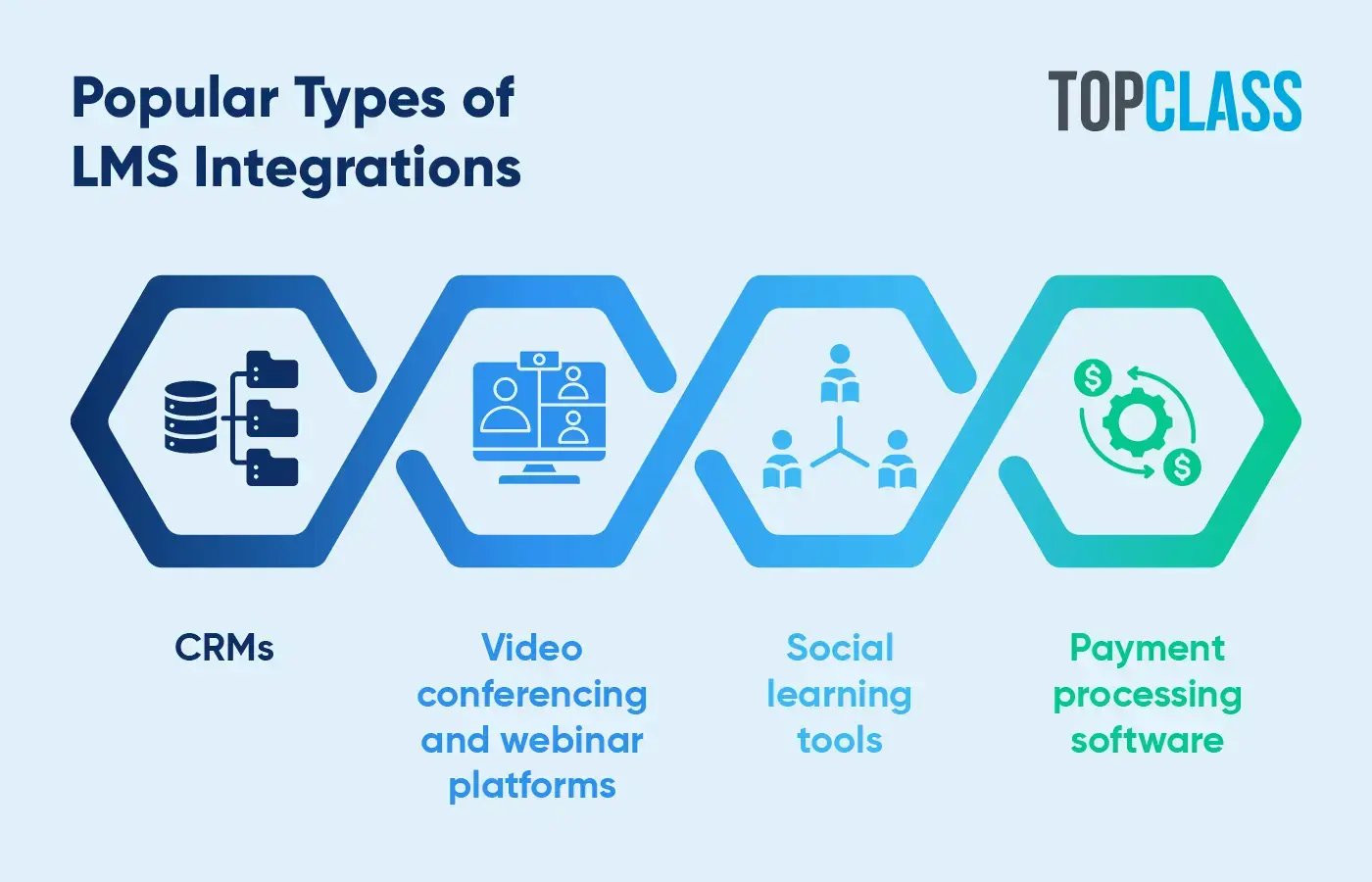
These examples provide only a glimpse into the extensive possibilities of LMS integrations. Assess your own learning program and technology toolkit to pinpoint the right integrations for your organization.
Many associations use an LMS to run learning programs for their members and help them reach their career goals. However, according to iMIS’s Membership Performance Benchmark Report, one of their top operational challenges involves using multiple systems and experiencing information silos.
To help you tackle this challenge, we’ve compiled the top association management software (AMS) solutions that have pre-built integrations with an LMS:
As the world’s only engagement management system (EMS), iMIS combines AMS, CRM, and website management functionality to centralize member engagement all on one platform. This leading membership solution connects with hundreds of association-specific tools, including TopClass LMS, to extend its already powerful capabilities.
For an in-depth look into how iMIS and TopClass LMS work better together, check out this brief video overview:
As the video illustrates, with an iMIS LMS integration, your organization can:
Sync course purchases between the EMS and LMS in real time.
Provide a convenient single sign-on (SSO) process for members.
Automatically log and display each member’s course completions and credits.
The Electrical Association, which supports electrical contractors nationwide, is one of many organizations that takes advantage of the TopClass LMS integration with iMIS. After struggling with an unintuitive and inefficient learning platform, the association now uses TopClass and iMIS to provide immediate course access and a more streamlined experience for learners—ultimately achieving a 108% increase in course sales within two years.
Protech is another popular database and member management tool for associations. A Protech AMS-LMS integration enables the following:
SSO and automatic member profile updates.
Learning activity creation using the Protech catalog.
Automatic purchase and activity completion syncing.
Personify provides management tools for associations of varying sizes and purposes. Integrating Personify’s software with an LMS allows for:
SSO directly onto the learning platform via Personify.
Automatic member segmentation based on characteristics such as location.
Instant purchase and activity tracking.
YourMembership is an AMS built to help small associations manage their members effectively and efficiently. Its AMS-LMS integration capabilities support:
Seamless learning data transfer after an integration process of only a few weeks.
SSO from YourMembership directly into the learning platform.
Automatic member grouping based on location or membership type.
GrowthZone is an AMS that helps associations thrive with built-in marketing automation. An LMS integration provides GrowthZone users with capabilities including:
SSO for accessing the learning platform using GrowthZone login details.
Real-time data syncing, from purchases to learning achievements.
Automated member grouping to simplify learning program administration.
While GrowthZone primarily serves small to mid-sized associations, MemberSuite is designed for more mid- to large-sized needs. Similar to GrowthZone, a MemberSuite AMS-LMS integration enables:
SSO to eliminate the need for double logins.
Real-time data syncing to provide a seamless user experience for members.
Automatic member segmentation to save your team time and effort.
re:Members AMS, formerly known as Impexium, provides associations with all of the basic membership management functionality they need. Integrating re:Members AMS with an LMS allows for:
SSO and easy user access management between systems.
Learning activity creation using the re:Members AMS Catalog.
Automatic activity, purchase, and certification tracking.
Beyond the core AMS and CRM connections, look for pre-built LMS integrations designed to enhance every part of your member journey. These "plug-and-play" connectors allow you to add specialized features—from virtual classrooms to secure proctoring—without the need for custom coding:
By leveraging these pre-built connectors, you can customize your learning environment to meet the specific needs of your members while keeping your data centralized. These integrations ensure that as your program grows, your technology remains flexible and easy to manage.
While many LMS integrations may be useful to your organization, successfully implementing them requires careful planning and communication.
Follow these steps to set your organization up for success with its learning program:
Choose an LMS. If you’re seeking a new LMS, look into pre-built integration offerings when conducting your research. The top platforms should readily integrate with popular tools, including iMIS, Salesforce, HubSpot, and Stripe.
Define your objectives. Outline the specific systems you need to integrate with your LMS and deliver effective online courses. Which integrations will provide the most value by implementing first? How will they improve workflows via automation and real-time data syncing?
Map your data and workflow. List out the various types of data you’ll want to transfer between systems. One of the two integrated systems must be the “master” data set, to which your team will make direct changes. In the case of an AMS-LMS integration, this should be your AMS since the platform contains a more comprehensive range of information on your members.
Collaborate with vendors and experts. Work with your LMS vendor and IT team to plan and carry out the integration. Take this opportunity to resolve any internal issues that may complicate the process and ensure that proper data encryption is in place to protect data during transfer.
Test the integration. Once the integration is complete, run pilot tests with small groups of users to check for any issues in using the software. Check for accurate data syncing, smooth workflows, and reliable security measures.
Train your users. Boost engagement with your integrated LMS by training both administrators and learners to use it. Host short online walkthrough sessions on how to navigate the platform and provide a comprehensive guidebook for your staff to reference at any time.
From there, track metrics such as user adoption, course completion, and sales to help assess your return on investment (ROI). Collect feedback from both administrators and users to make improvements as needed.
The success of your LMS integration starts with the LMS you select. TopClass LMS is built to make the integration process as easy as possible for your organization, whether you’re looking to connect with a CRM or payment processing tool.
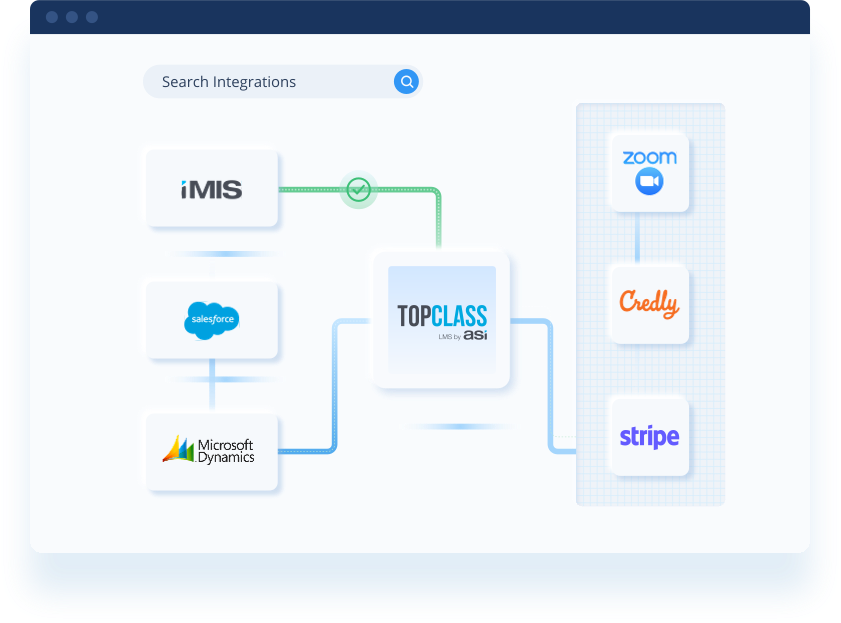
We provide professional implementation services that cover all the integration and customization your organization needs in a prompt and cost-effective manner. Once you have the right LMS integrations in place, you’ll be ready to jump straight into improving your learning program with personalized learning pathways and streamlined data tracking.
If you’re interested in learning more about LMS platforms and how they can benefit your organization, check out these additional resources: