

TopClass LMS Features
All-In-One LMS
.svg)


So, your organization has looked into the benefits of implementing a learning management system (LMS) and liked what you found. You’re in good company—a recent benchmark report by iMIS found that more than one-third of surveyed membership organizations have either made or are planning to make investments in a new LMS.
However, finding the right LMS is only the first step to creating an engaging, high-value learning program. Implementing an LMS requires translating your learning strategy into a user-ready platform. Beyond technical installation, you must consider content standards, integrations, and user access for successful adoption.
That’s where this LMS implementation checklist comes in. We’ll walk through everything you need to know to get up and running with your new learning platform, including:
A well-executed implementation allows you to seamlessly fit your LMS into your organization’s existing operations and technology toolkit, enhancing your capabilities without disrupting your current workflow.

LMS implementation is the systematic process of configuring a new learning platform to fit your organization's unique ecosystem. It serves as the critical bridge between purchasing software and delivering actual value to your learners.
While many view it as a simple software installation, successfully implementing an LMS is far more comprehensive. It transforms an out-of-the-box tool into a fully functional learning environment. The process typically encompasses:
Essentially, implementation is the preparation phase that determines whether your launch will be seamless or filled with hiccups.
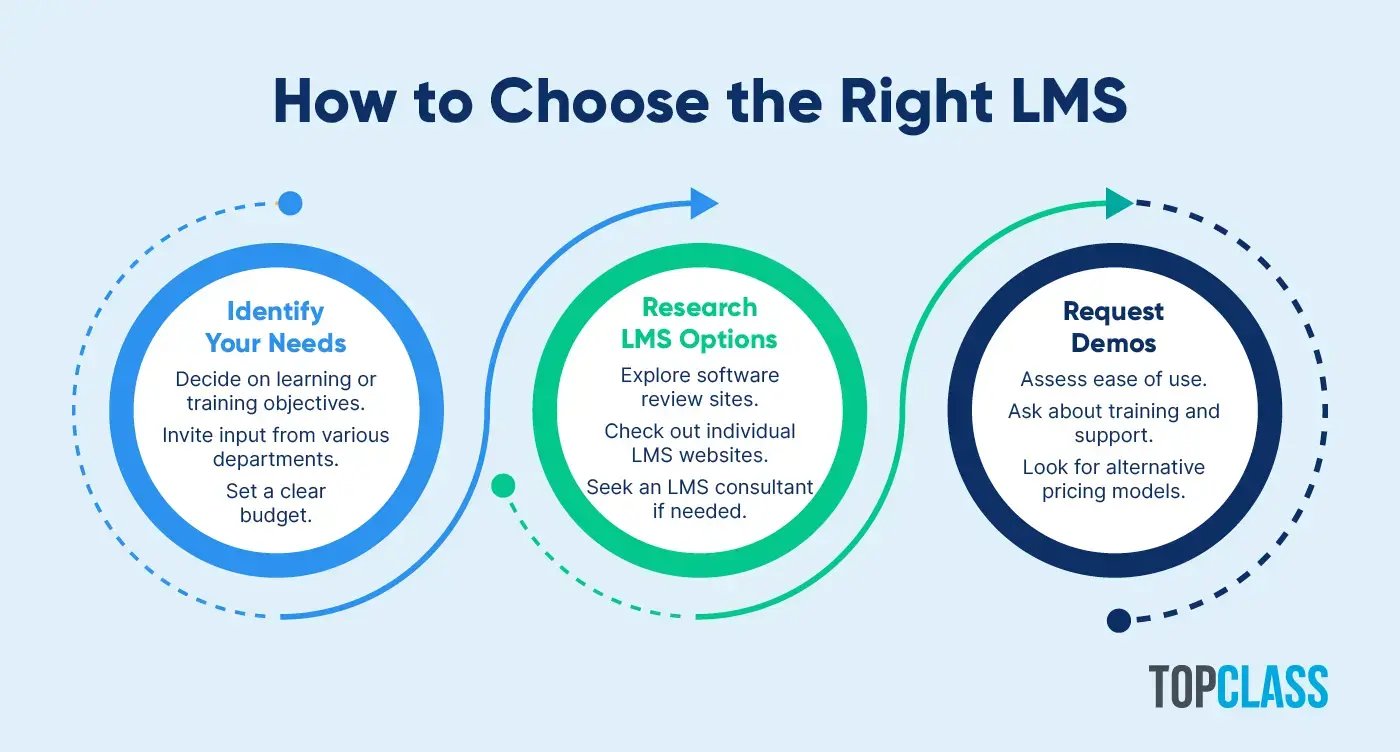
Before diving into the LMS implementation checklist, there is one critical prerequisite: selecting the right platform. Even the best implementation plan cannot fix a system that is fundamentally the wrong fit for your organization's needs.
Your specific LMS requirements will vary heavily based on your organization type. For example, an association LMS must focus on member engagement and e-commerce for professional development, whereas a corporate solution prioritizes employee upskilling and compliance.
Use these three steps to ensure you have the right foundation before you start building:
A Note on Open-Source LMS Platforms: While "free" open-source platforms can be tempting, they often present major LMS implementation hurdles. They typically lack vendor support, meaning you may face high hidden costs when hiring external developers to configure and implement the system effectively.

While LMS implementation processes will vary depending on the organization's needs and the level of vendor support, the foundational steps are the same for everyone. Follow this checklist to navigate your team through a seamless implementation project:
Outline what a successful LMS implementation looks like for your organization. What do you ultimately hope to achieve with your new platform? For a nonprofit, this might involve increasing volunteer training completion rates. For a union, this might be speeding up the member onboarding process.
Use these questions to guide your thinking:
In 2025, 47% of associations reported increased attendance at virtual professional development meetings, and 49% saw increased certification acquisition and maintenance. Knowing this, let's say your organization wants to provide webinars, compliance training, and certifications as part of its learning program. You know that you'll need an LMS that allows you to host webinars and upload content that supports standardized eLearning content standards such as SCORM.
Implementing an LMS is not a solo effort. Instead, it's a detailed process requiring collaboration between your organization's team and your LMS vendor's team.
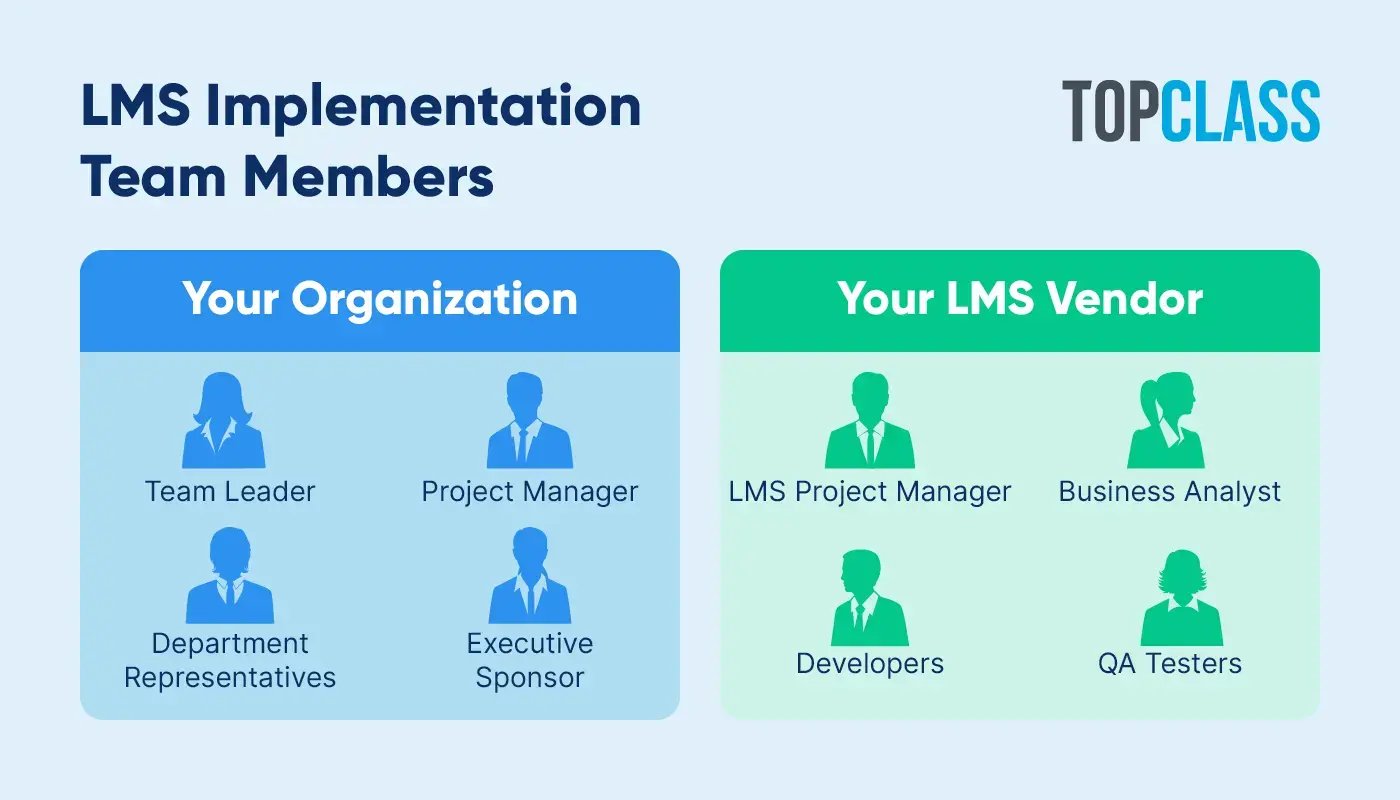
Your organization's internal LMS implementation team should typically include:
Your LMS vendor's implementation team should typically include:
An LMS project manager who assigns roles to the vendor’s project team and maintains open communication with your organization’s project manager
A business analyst who helps translate your learning program goals into technical requirements for the LMS
Developers who work to customize the LMS according to your organization’s specific needs
QA testers who check to ensure the LMS meets your organization’s expectations from every angle
With an LMS vendor that provides professional implementation services, your organization can better coordinate its resources, avoid budget overruns, and keep the process moving at a productive pace. If you didn’t partner with an LMS consultant during the selection process, consider reaching out to one of these experts to help you anticipate potential challenges and coordinate the implementation project using their hands-on experience.
On average, it can take three to six months to implement a new cloud-based LMS and six to nine months to implement an on-site LMS for a large company. By producing a detailed LMS implementation plan and timeline upfront, you can prevent project scope creep and align your whole team on their next actions.
Your project manager should collaborate with the rest of your team to develop a project charter with the following details:
Objective
Requirements/Deliverables
Project Sponsor
Schedule
Budget
Team Member Roles and Responsibilities
Risks
Constraints
Success Criteria
Organize a kickoff meeting to review this charter as a team. Take this opportunity to establish communication expectations and schedule regular check-ins to assess progress throughout the implementation project.
An LMS is only as valuable as the content inside it. Before you launch, populate your platform with resources that will actually engage your users. You generally have three paths to build your library: migrating legacy content, creating new materials, or licensing third-party courses. Most successful organizations rely on a strategic mix of all three.
To make your program accessible and compelling, avoid sticking to just one medium. A modern learning experience should include a variety of formats, such as:
According to the Society for Human Resource Management (SHRM), nearly 64% of employees prefer a simulation learning format, and 51% prefer a coaching/mentoring style. Your organization can pinpoint which types of educational content it should prioritize by surveying potential end users, from members to staff.
During this LMS implementation step, it’s time to configure your learning platform to your organization’s liking. Generally, this will involve:
Adjusting settings such as notification preferences
Defining roles and permissions for administrators, instructors, and users
Importing or migrating user data to the platform
Customizing the LMS with your organization’s branding
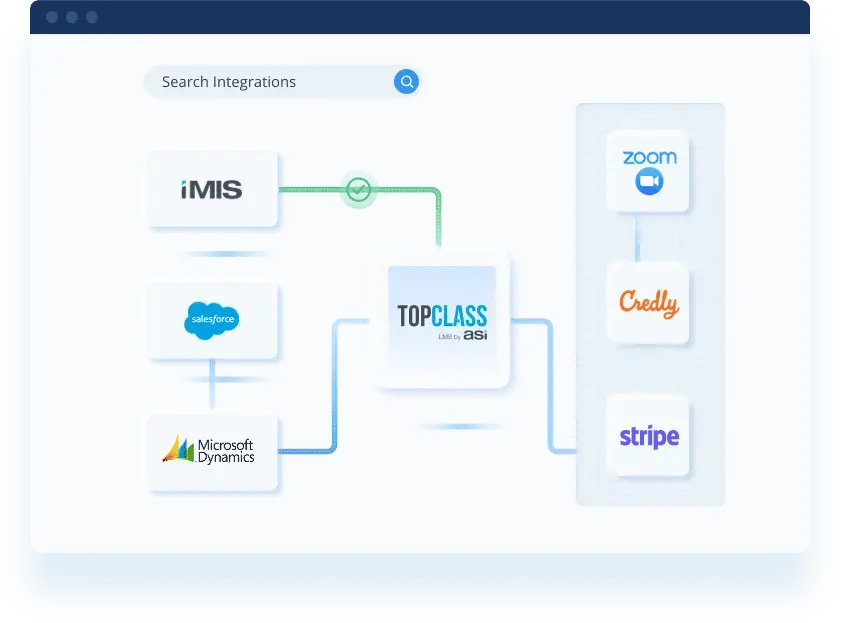
Additionally, your LMS vendor’s team will help you integrate your LMS with your other important platforms, whether that’s your membership software or payment processor, and set up single sign-on (SSO). To streamline this process, identify an internal point of contact with technical expertise in your existing system to coordinate with the developers on a more granular level.
Implementing an LMS is a major milestone, but technical readiness doesn't guarantee user adoption. To ensure your investment pays off, start building excitement well before your official go-live date!
Here is how to spread the word effectively:
Drum up even more enthusiasm by treating your launch like a celebration. Host a special virtual launch event to demonstrate the platform's value and answer questions live. You can also drive immediate engagement by offering limited-time incentives, such as discounts on premium courses or access to exclusive webinars for early adopters.
Before you roll out your LMS, ensure it meets your organization's standards. Is it easy to use? Does it allow you to create the formats you want? Do all the integrations work properly?
Your vendor's QA team should step in to answer these questions. Here's what you can expect the QA team to do:
Review your organization’s requirements to understand your ideal workflow.
Create test cases or scenarios to evaluate whether the LMS meets each requirement.
Check the accuracy of data migration to prevent information loss.
Assess whether your LMS layout is responsive on various devices, from laptops to smartphones.
Verify that the LMS meets accessibility standards.
If the QA testers encounter any bugs or issues during the process, they’ll note and share them with the development team to develop a fix.
After QA testing is complete, it’s your organization’s turn to conduct user acceptance testing. First, however, you should train your staff to familiarize them with the platform’s interface and functionality. Take advantage of training sessions and resources offered by your LMS vendor. Some vendors, such as TopClass, include training hours in their contracts, which you can allocate for implementation and future training needs.
Typically, you should expect your LMS vendor to provide online training tailored to your organization’s specific platform needs and goals. These can be recorded, so anyone who missed a session can review it on their own time. However, if your organization has many staff members, you might opt to schedule on-site training instead.
After your organization has gotten to know the platform better, assemble a team to carry out user acceptance testing. During this process, you’ll identify and try out everyday procedures on your LMS, whether that’s purchasing a course or completing a certification path. Note any issues or challenges that arise during these procedures and collaborate with your vendor to resolve them before launch.
Once your new LMS is up and running, it’s time to set your learning program in motion. As you engage learners in your offerings, use your LMS’s reporting capabilities to measure your results. Some elements and metrics to consider include:
Course purchases
Course completion rates
Test results
Certifications or badges earned
Number of active users
Continue to make strategic improvements based on this data to enhance your program’s performance and get the most out of your LMS implementation over time.
With a detailed LMS implementation checklist to follow, your team has everything it needs for a successful rollout. To navigate the process with confidence and efficiency, keep these tips in mind:
Establish clear requirements and needs upfront. Starting with everyone on the same page about your LMS expectations prevents delays or scope creep down the line. For example, do all the features you need come with the platform, or are there separate add-ons you must pay for? Are you satisfied with the baseline reporting capabilities, or do you want to access customized reports through your LMS?
Practice frequent and open communication. Schedule weekly progress calls with your team and vendor to share updates throughout the LMS implementation project. Additionally, your project manager should be available by email and phone between these meetings to address any questions or concerns. Note all decisions, changes, and task completions in an organized document to reference as needed.
Collect feedback from users. The most useful insights will come from those interacting with the LMS platform. Beyond user acceptance testing, create ongoing channels to collect feedback from learners and other users. For example, you can embed a survey within your LMS that asks about the user’s learning experience and whether they believe they can apply what they learned in their professional role.
Wrap up your LMS implementation project with a team debriefing. Review how the project went and discuss any insights you can carry into future software implementation efforts across your organization.
At TopClass, we're committed to helping your organization achieve success with its LMS from start to finish. With our professional LMS implementation services, we'll be right by your side through the entire onboarding process, ensuring everything stays on track with your budget, schedule, and quality expectations.
Looking for a real-world example? When the American Institute of Chemical Engineers (AIChE) needed to migrate and expand its 36 eLearning courses quickly, the association turned to TopClass's industry-leading LMS and implementation services. With an in-depth understanding of AIChE's needs, we were able to:
Get a free personalized demo to see how we can take your learning program to the next level, just like we did with AIChE!
A new LMS is a game-changer for your organization's learning program, allowing you to create tailored, engaging educational experiences for users of varying needs and preferences. Whether you're hoping to earn more non-dues revenue or better prepare staff for their responsibilities, taking a careful and calculated approach to LMS implementation turns your goals from a dream to a reality.
Want to learn more LMS tips, tricks, and recommendations? Check out these additional resources: